

You built your site with Lovable, Bolt, Base44, or another AI tool. It looks great. You published it, waited, and searched for your business. Nothing.
Here’s the good news and the bad news. The good news: the biggest technical problem with AI-built sites, search engines not being able to read them, has gotten much better. The bad news: a site that Google can read is still not a site Google will send people to.
I’m Scott Ostrander. I use AI builders in my own work every day, and I fix the sites they produce. This guide covers what these tools still tend to miss, how to test your own site in about ten minutes, and what to do about it.
First, the rendering issue is mostly solved (for some tools)
For years, the standard warning was that AI builders produced JavaScript-heavy pages that arrived at Google as an empty shell. That was a real problem, and it’s why a lot of older advice online says to buy a pre-rendering service.
Lovable has changed this. According to its documentation, apps created from May 13, 2026 use server-side rendering, so every visitor and crawler gets finished HTML. Older apps get pre-rendered pages served to verified crawlers like Google. Lovable also says an external pre-rendering service isn’t required for Lovable-hosted projects.
Other builders work differently, and tools change fast. So don’t assume. Test your own site (the checklist below takes about ten minutes).
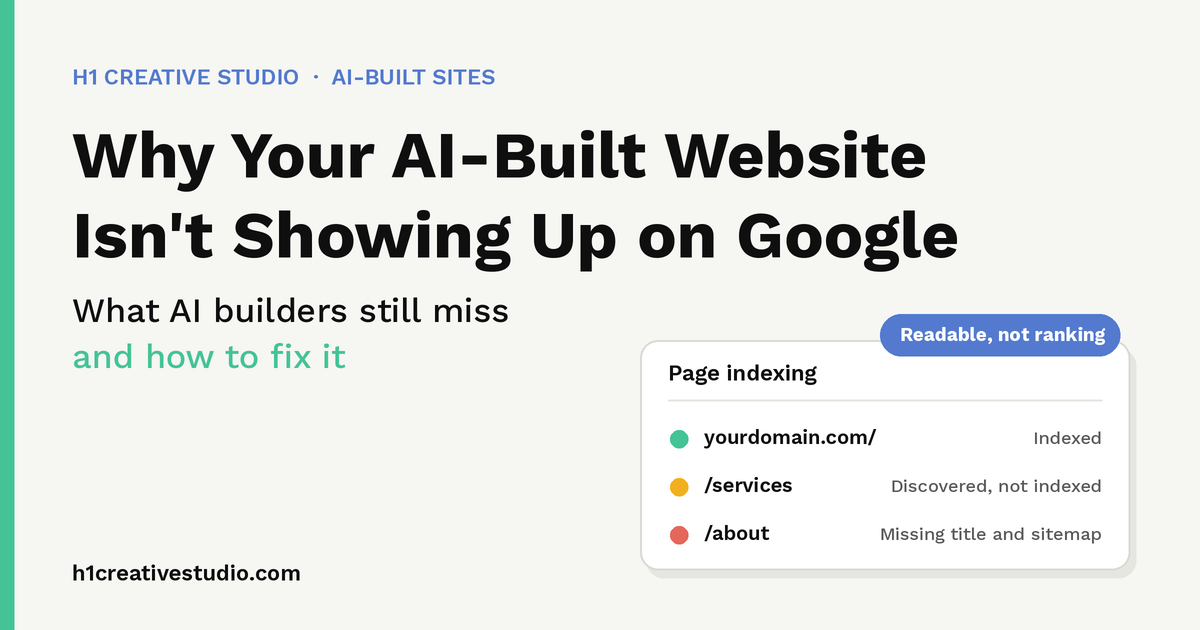
But “readable” isn’t “ranking”
Lovable’s own docs make this point: readable pages are the baseline, and how well they rank depends on content, metadata, and structure. That’s where AI-built sites most often fall short.
1. Every page has the same generic title and description
AI tools often start with placeholder metadata. If your title tag says “My App” or your home page and service pages share one description, Google has little to work with, and searchers see a vague listing. Each page needs its own title, description, and one clear H1 that matches what the page is about.
2. There’s no sitemap, or robots.txt is blocking things
Lovable’s docs note that it creates a robots.txt with every new project but not always a sitemap. A missing sitemap slows discovery. A stray noindex tag or a robots.txt rule that blocks crawlers can keep a whole site out of Google. I see this more often than people expect, usually left over from a staging setup.
3. Google has never been told your site exists
If you never connected Google Search Console, you have no idea what Google has indexed, skipped, or flagged. It also matters which address you promote. If your site lives on a builder subdomain and you later move to your own domain, you can end up with two versions competing, or with the new one never getting picked up properly.
4. The whole business is on one page
AI builders love a single scrolling page. But Google ranks pages, not websites. If your services, pricing, and FAQ all live on one URL, you can only compete for one topic. A firm that offers four services needs four service pages. (I go deeper on this in my SEO guide for professional service firms.)
5. The content is generic
AI-written copy tends to sound like every other site in your industry. Search engines, and the people reading, can tell. Pages that rank usually have something specific: your process, your pricing logic, real results, answers to the questions your clients actually ask, and proof that you exist.
6. Structure, speed, and mobile details slipped
Missing alt text, headings out of order, images that haven’t been compressed, layouts that break on a phone, and no structured data. Each is small. Together they add up to a site that looks finished and underperforms.
7. Your local and trust signals are missing
If you serve a local or regional market, Google often shows your Business Profile before your website. No profile, inconsistent business details, or no reviews means you’re skipping the first thing a searcher sees.
A 10-minute test you can run today
- Search your own domain. Type
site:yourdomain.cominto Google. How many pages show up? If it’s zero, Google hasn’t indexed you. If it’s one, your site is effectively a single page. - Open Google Search Console and add your site if you haven’t. Use the URL Inspection tool on your home page and one inner page. It tells you whether the page is indexed and shows what Google saw.
- View your page source. Right-click your page and choose View Page Source. Can you find your headline and a few sentences of body text in the raw HTML? If the source is nearly empty, search engines and AI crawlers that don’t run JavaScript may see nothing.
- Check titles and descriptions. Look at the browser tab and your Google listing. Does each page have its own?
- Visit
yourdomain.com/robots.txtand/sitemap.xml. Is there a sitemap? Does robots.txt block anything it shouldn’t? - Test on your phone. Scroll the whole site on a real device.
If you want a quicker read, my Website Scorecard walks through the same areas and tells you what to fix first.
What you can fix yourself, and what to hand off
You can usually handle these inside your AI tool:
- Ask it to give each page a unique title, description, and H1.
- Ask it to add a sitemap and check robots.txt.
- Run its built-in SEO review, if it has one.
- Connect Search Console and submit your sitemap.
- Rewrite generic copy with your real details.
These tend to need a person who can read the code:
- Pages that don’t appear in Search Console even after a sitemap is submitted.
- A move from a builder subdomain to your own domain without losing anything.
- Rendering problems, where your content isn’t in the page source.
- Fixing something without breaking something else. (If this keeps happening, read why AI-built websites keep breaking.)
- Restructuring a one-page site into real service pages with proper internal links.
- Structured data, speed work, and technical cleanup.
What I’d do first
If I were fixing a stalled AI-built site, I’d work in this order:
- Confirm Google can reach and read the site.
- Fix titles, descriptions, headings, sitemap, and robots.txt.
- Split the site into the pages that match what people search for.
- Rewrite the copy so it’s specific and credible.
- Tidy speed, mobile, and accessibility.
- Set up Search Console and a Google Business Profile.
That sequence is why a short, focused fix often works better than a rebuild. Most AI-built sites have a decent foundation that needs professional cleanup, not a restart.
Frequently asked questions
Why is my Lovable site not showing up on Google? It may not have been indexed yet, or it may have thin pages, generic metadata, a missing sitemap, or a blocking tag. Start with the ten-minute test above. Lovable has also built an SEO review into its editor that checks several of these.
Do I need a pre-rendering service for my AI-built site? For Lovable-hosted projects, Lovable’s documentation says no. For other builders, check what your own page source shows before you pay for anything.
How long does it take for a new site to show up on Google? It can take days to weeks for pages to be indexed, and longer to rank. Submitting a sitemap and connecting Search Console helps Google find you faster.
Will fixing SEO break my site? It can if edits are made blindly. I make changes directly in the code and test them, and I’ll tell you which parts are safe to keep editing with AI afterward.
Can I keep using my AI builder after you fix things? Yes. I’ll show you what’s safe to change and what to leave alone so the fixes stick.
Want a developer to look at it?
If your AI-built site is stuck, I can review it, tell you plainly what’s wrong, and fix it. I work with clients across the United States, and every project starts with a fixed price.
Book a 15-minute call →